


Table of Contents
The moment you switch on your phone after landing in Tehran, Shiraz, or Isfahan, it searches for a network it doesn’t recognize and quietly gives up. Getting a SIM card in Iran is simple: tourists can buy a prepaid Irancell or Hamrah-e Aval tourist SIM at the airport with just a passport, usually for a few dollars, and be online within minutes. It’s one of the smallest logistics of an Iran trip, but also one of the first things travelers worry about — and it deserves a clear, honest answer rather than the vague “it’s complicated” that a lot of guides settle for.
This guide walks through exactly how it works — which carrier to choose, what a tourist SIM actually gives you, where to buy one, what it costs, and how to get it running on your phone. It’s a small piece of the puzzle compared to sorting out your entry paperwork or deciding when is the best time to visit Iran, but it’s one that’s easy to get right once you know the steps. It pairs well with the practical basics covered in our complete guide to traveling in Iran, if you’re still working out the rest of your logistics.
Quick answer: Most tourists in Iran buy a prepaid tourist SIM from Irancell or Hamrah-e Aval — MCI — at the airport on arrival, using only a passport. It typically costs $2–15 depending on the data bundle, activates immediately, and is the more reliable and affordable option compared to international roaming. eSIMs are not yet available to tourists as of sources checked— a physical SIM is still required.
At a Glance: Iran SIM Card for Tourists
| Feature | Detail |
|---|---|
| Best carriers for tourists | Irancell, Hamrah-e Aval (MCI) |
| Document required | Passport — commonly the only document needed |
| Where to buy | Airport counters — Tehran IKA, Shiraz, Isfahan, Mashhad — and official carrier stores in cities |
| Typical cost | $2–15 depending on data bundle |
| Typical validity | 7 to 30 days, depending on the plan |
| eSIM for tourists | Not yet available — physical SIM required |
| Phone requirement | Must be unlocked from your home carrier |
| Network bands | GSM 900/1800 MHz, LTE 1800 MHz |
| Avoid | Unofficial street vendors |
Do You Need a Local SIM Card?
Technically, no — your home carrier’s roaming may connect somewhere in Iran. In practice, most travelers regret relying on it. Roaming agreements between Iranian operators and many foreign carriers are limited, and the service is often expensive or unreliable enough to defeat the purpose. Check with your home carrier before relying on roaming.
A local prepaid SIM sidesteps all of that. It costs a fraction of a typical roaming day-pass, works reliably across the country, and gives you a local number if a guide, driver, or hotel needs to reach you. For a trip longer than a couple of days, it’s the easier choice by a wide margin — and it’s the kind of small, practical fix that eases the broader uncertainty first-time visitors feel, the sort we address more fully in our guide on whether Iran is safe to visit.
Iran’s Mobile Carriers, Compared
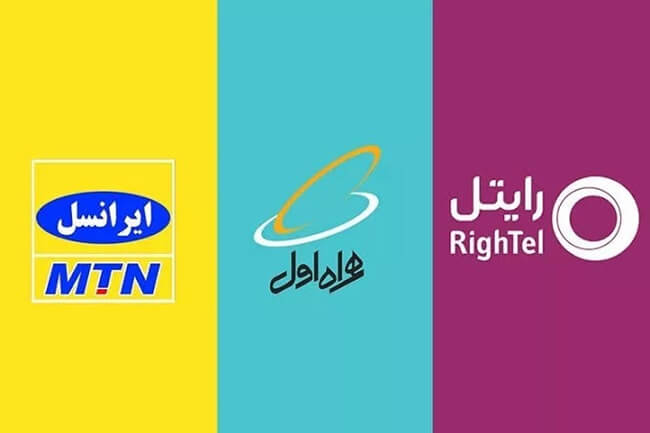
Three operators cover the large majority of Iran, and all three sell prepaid SIMs to tourists.
Irancell is the network most tourists end up on. It operates as a joint venture in which South Africa’s MTN Group holds a 49 percent stake, alongside Iranian shareholders. The network launched commercially in October 2006. As of 2024, Irancell holds roughly 43 percent of Iran’s mobile market, making it the country’s second-largest operator by subscribers. It has a wide presence at international airports, and its tourist SIM process is among the more streamlined of the three — part of why it’s become a common recommendation among tour operators and independent travelers alike.
Hamrah-e Aval — MCI is Iran’s oldest mobile operator, established as the country’s first mobile network in 1994 and formally incorporated as the Mobile Communication Company of Iran in 2004. It is majority-owned by the Telecommunication Company of Iran and is described as Iran’s largest operator by subscriber count, with more than 43 million subscribers reported in recent company figures and coverage in over 1,200 cities.
Rightel was Iran’s first operator to launch 3G service, beginning its rollout in 2012, and by 2017 had extended 3G coverage across most of the country. Its dedicated 4G network, however, is concentrated in a handful of major cities — Tehran, Tabriz, Isfahan, Shiraz, Mashhad, Ahvaz, Karaj, and Gorgan — and it holds a smaller share of the market, around 5 percent of subscribers. Outside these cities, Rightel subscribers typically roam onto MCI’s or Irancell’s networks. It’s a reasonable option if you’re spending your entire trip in one or two major cities, less so if you’re headed into the desert or the Zagros mountains.
Beyond these three, you may come across Shatel Mobile, a mobile virtual network operator — MVNO — that doesn’t run its own towers but instead connects subscribers across all three main networks based on location and signal quality, and Taliya, one of Iran’s earliest private prepaid operators, which now functions as a light MVNO riding on the MCI network and, according to its own materials, supports 2G through 5G. Neither is set up with a tourist SIM product, so for a short visit, Irancell, Hamrah-e Aval, and Rightel remain the practical options.
| Carrier | Best for | Coverage notes |
|---|---|---|
| Irancell | Most tourists, streamlined tourist-SIM process | Strong in cities and airports, good 4G, ~43% market share |
| Hamrah-e Aval (MCI) | Rural routes, long drives between cities | Iran’s largest operator by subscribers, coverage in 1,200+ cities |
| Rightel | City-only itineraries | Nationwide 3G, but 4G limited to eight major cities |
Tourist SIM vs. Regular SIM Card
Iranian carriers generally sell two kinds of prepaid SIM, and mixing them up is a common source of confusion for visitors.
A regular prepaid SIM is designed with residents in mind and can involve a longer registration process or bundle plans not suited to a short stay.
A tourist SIM — often marketed as a visitor package at carrier counters — is built specifically for short-term travelers. It commonly comes pre-activated and includes a starter data and credit balance already loaded, so it works shortly after being inserted. Reported validity generally runs from about 7 to 30 days depending on the specific plan and provider, and can also be affected by how quickly you use the included data. Some travel guides note that tourists may be able to register more than one SIM per visit — useful for families or small groups who want everyone reachable on a separate number — though exact limits can vary by carrier and are worth confirming directly at the counter rather than assuming a fixed number.
For almost any tourist itinerary, the tourist SIM is the more convenient choice, designed around the kind of one-to-three-week stay most visitors to Iran’s major cities are planning.
Where to Buy: On Arrival or Arranged in Advance
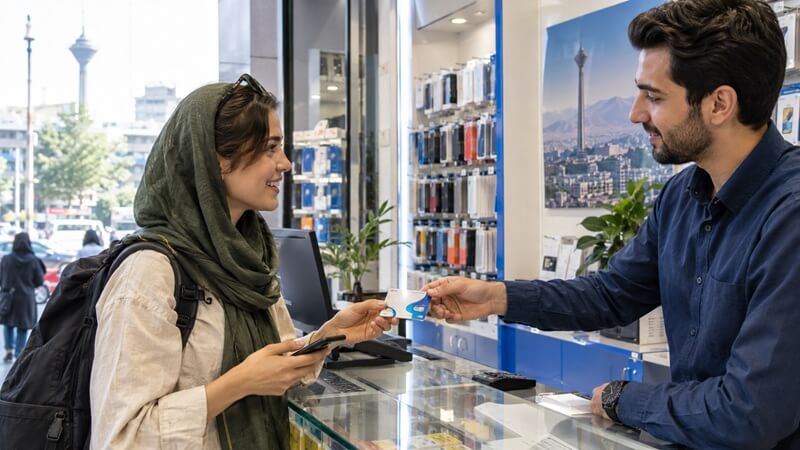
At the airport. Imam Khomeini International Airport — IKA — in Tehran has carrier counters near baggage claim, and the regional airports in Shiraz, Isfahan, and Mashhad have similar kiosks, generally with shorter operating hours. This is the most common route for tourists, since it means landing and being connected almost immediately — often around the same point in arrivals where you’ll handle visa on arrival formalities if that’s how you’re entering the country.
In the city. Official carrier stores exist in every major city and are a reliable fallback if the airport counter is closed or busy. It’s best to avoid unofficial street vendors — a SIM sold this way may not be correctly registered as a tourist SIM, and any issue with it becomes harder to resolve once you’re away from an official outlet.
Arranged before you land. If you’d rather not deal with counters and queues after a long flight, ask Compassimo to help arrange a tourist SIM ready for pickup shortly after you clear arrivals — so it’s one less thing to sort out on unfamiliar ground. For travelers landing late at night or connecting quickly to their first city, this removes a step that would otherwise eat into the first hours of the trip.

What You’ll Need & How Registration Works
The process is more straightforward than most first-time visitors expect, and it’s worth noting upfront that it’s entirely separate from the Iran travel visa process — one has nothing to do with the other.
Steps to buy and activate a tourist SIM in Iran:
- Bring your passport. This is commonly the only document required — no visa copy or additional paperwork is typically needed for a tourist SIM.
- Choose your carrier and bundle at the counter. Staff will walk you through the available tourist SIM options and data packages.
- Complete registration on-site. Staff enter your passport details into the system, which usually takes just a few minutes.
- Pay. Some airport counters accept card payment; cash is the safer assumption altogether.
- Insert the SIM and confirm activation. Tourist SIMs are commonly pre-activated, so service should be live within minutes of insertion.
The whole exchange commonly takes under ten minutes, even with a short queue.
Iran SIM Card Prices
Pricing varies by carrier, bundle size, and how the exchange rate is moving, but a rough range reported across current travel guides looks like this:
| Item | Approximate cost — USD |
|---|---|
| Bare tourist SIM — starter credit included | $1–5 |
| Small data bundle — 1–3 GB | $2–5 |
| Medium data bundle — 5–10 GB | $5–10 |
| Large data bundle — 15–20 GB | $10–20 |
For a two-week trip with moderate use — maps, messaging, some photo uploads — a medium bundle is usually enough. Heavier users, or anyone planning to hotspot a laptop, should budget for the larger tier. Because prices and promotions shift, it’s worth treating these as a planning range rather than a fixed quote, and confirming the current package at the counter. Top-ups are inexpensive and easy to buy at any carrier store if you run low mid-trip.
Setting Up Your SIM: APN and Activation
Many modern phones detect the correct APN — Access Point Name — automatically once the SIM is inserted. If data doesn’t connect within a few minutes, here’s the general manual fix:
- Go to your phone’s mobile network settings and select Access Point Names.
- Add a new APN. Travel guides commonly cite mtnirancell for Irancell and mcinet for Hamrah-e Aval, though counter staff can confirm the exact current string for your specific SIM, since these values are occasionally updated by the carriers.
- Save and select the new APN.
- Restart your phone if data still doesn’t connect.
A few USSD codes commonly referenced in Irancell travel guides — worth confirming with staff, since short codes can change:
- An internet package activation code — commonly reported as *55542#
- A SIM registration or status check — commonly reported as *1411#
- A data balance check — commonly reported as *555#
Store staff are generally happy to walk through activation with you at the counter before you leave, which is the easiest way to confirm everything’s working before you need it.
Phone Compatibility: Bands and Unlocking
Iranian networks operate on GSM 900 MHz and 1800 MHz for voice and older data services, with LTE also using the 1800 MHz band, according to frequency-allocation data — bands supported by the large majority of phones sold internationally, so compatibility is rarely an issue (FrequencyCheck — Iran).
The one requirement that trips people up is that your phone needs to be unlocked from your home carrier; a locked phone won’t accept any foreign SIM, tourist or otherwise. If you’re not sure whether yours is unlocked, it’s worth checking with your provider before you travel rather than discovering the problem at the counter.
eSIMs in Iran: New, but Limited
For years, the honest answer here was simply “no, not yet.” That changed in September 2025, when Irancell announced it had received an official license and become the first operator to commercially launch eSIM technology in Iran (Irancell).
However, this launch does not yet extend to tourists. As of sources checked, eSIM activation in Iran requires real-name registration tied to an Iranian national ID, meaning the service is currently limited to residents — visitors cannot activate a local carrier eSIM using a passport at this stage. Passport-based activation for visitors has reportedly been discussed as a future step, but no confirmed rollout date exists.
Third-party eSIM resellers do advertise “Iran eSIM” products, but these typically operate over international data roaming infrastructure rather than direct activation on an Iranian carrier, and usually come without a local phone number — worth understanding clearly before relying on one as your primary connection. For SIM purposes, plan on picking up a physical tourist SIM after you land.
Practical Tips: SIM Card for Tourists in Iran
Timing: Buy your SIM as one of your first stops after clearing arrivals — most airport counters are positioned right past baggage claim for exactly this reason.
Cash on hand: Bring a small amount of cash for the SIM and initial top-up, since card acceptance at counters is inconsistent. Our Iran currency guide covers what to bring and how to exchange it.
Dual SIM phones: If your phone has a dual SIM slot, you can keep your home SIM in one slot — for calls and texts via wifi apps — and the Iran tourist SIM in the other for data. A convenient way to stay reachable on your usual number while still having local data.
VPN use: Access to some international online services can be inconsistent in Iran, so set up any tools you rely on before leaving home. Most travelers use a VPN alongside their local SIM for smoother access to maps, messaging, and banking apps. If you need assistance on what VPN works in Iran or installation, feel free to contact our support team.
Cultural context: A working SIM makes many of the practical parts of a trip easier, from ride-hailing apps to translation tools — details that tie into the broader adjustment covered in our guide to Iran’s cultural etiquette and local customs.
Trip protection: If you haven’t already sorted it, travel insurance for Iran is another practical item worth having in place before you fly — it’s the kind of thing you want ready before you need it.
Final Thoughts: A Small Card That Softens the First Hour
A SIM card is a small piece of a much bigger trip, but it’s the kind of detail that shapes how the first day actually feels. Landing connected — able to pull up a map, message your guide, or simply let someone at home know you’ve arrived — turns a foreign airport into a manageable first step rather than a disorienting one.
Iran rewards travelers who move through it with a bit of ease, and staying connected is one of the simplest ways to buy yourself that ease from the very first hour. Between Irancell, Hamrah-e Aval, and Rightel, there’s a workable option for nearly any route through the country, whether that’s city-hopping between Tehran, Isfahan, and Shiraz or heading further out toward the desert.
Once your SIM is sorted, the rest of the logistics — visas, routes, what to expect day to day — tend to fall into place just as easily. It’s one less unknown standing between you and the parts of the trip that actually matter.
Want your SIM card ready before you land?
FAQs for Iran SIM Card
1. Can tourists get an eSIM in Iran?
Not yet. Irancell launched commercial eSIM service in Iran in September 2025, but activation currently requires real-name registration with an Iranian national ID, so it is limited to residents. Tourists should plan on buying a physical SIM card after arrival.
2. How much does an Iran SIM card cost for tourists?
A bare tourist SIM with starter credit typically costs $1–5, with data bundles ranging from about $2 for a small package to $10–20 for a large one. Prices vary by carrier and current promotions, so confirm the exact package at the counter.
3. Which carrier is best for tourists in Iran, Irancell or Hamrah-e Aval?
Irancell is generally the easiest for tourists, with a streamlined registration process and strong airport availability. Hamrah-e Aval — MCI — offers the broadest national coverage, making it useful as a backup for long drives between cities.
4. Do I need my passport to buy a SIM card in Iran?
Yes, a passport is commonly the only document required to register a tourist SIM. No visa copy or additional paperwork is typically needed.
5. Can I buy a SIM card before I land in Iran?
Not directly from Iranian carriers, since registration requires an in-person passport check. Travelers who would rather skip the airport counter can ask us to help arrange a tourist SIM ready for pickup on arrival.
6. How long is a tourist SIM valid in Iran?
Reported validity for tourist SIMs generally ranges from about 7 to 30 days depending on the plan and provider, which covers the length of most tourist visits. Top-ups can extend validity if you’re staying longer.
7. Does my phone need to be unlocked to use an Iran SIM card?
Yes. Any phone locked to a home carrier will reject a foreign SIM, so confirm your phone is unlocked before you travel.
8. Can I use my home carrier’s roaming instead of buying a local SIM?
Technically yes, but roaming agreements with Iranian networks are limited and often expensive due to sanctions-related restrictions on international telecom deals. A local prepaid SIM is almost always cheaper and more reliable.
9. Where can I buy a SIM card in Iran besides the airport?
Official Irancell, Hamrah-e Aval, and Rightel stores operate in every major city, offering the same tourist SIM registration as the airport counters. It’s best to avoid unofficial street vendors, where SIMs may not be correctly registered as tourist cards.
10. Is Wi-Fi enough, or do I really need a SIM card?
Wi-Fi is available in most hotels and cafés in major cities, but it’s inconsistent once you’re moving between destinations or off the main tourist routes. A local SIM keeps you connected everywhere in between.
11. What should I do if my Iran SIM stops working mid-trip?
Visit any official store for your carrier — Irancell, Hamrah-e Aval, or Rightel — with your passport, and staff can troubleshoot or reissue the SIM. This is another reason to avoid unofficial vendors, whose SIMs can be harder to resolve issues with.
0 Comment